

ServerDesk
A native macOS SSH client with guardrails before dangerous commands run.
Saved server profiles, a real terminal, host verification, quick actions, and an audit trail - with a confirmation step before dangerous commands run.
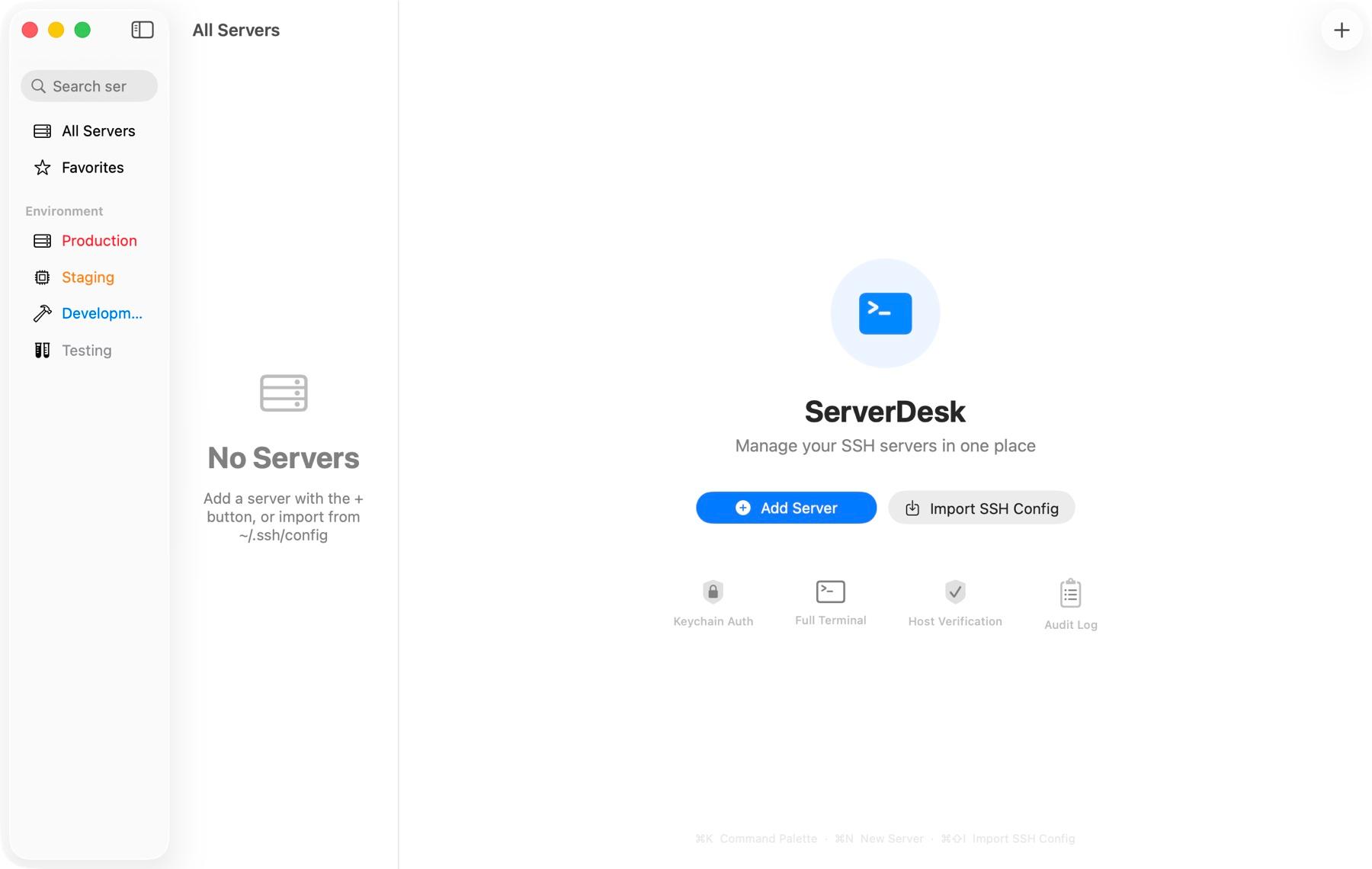
Everything ServerDesk does, and nothing it does not.
Servers in one list
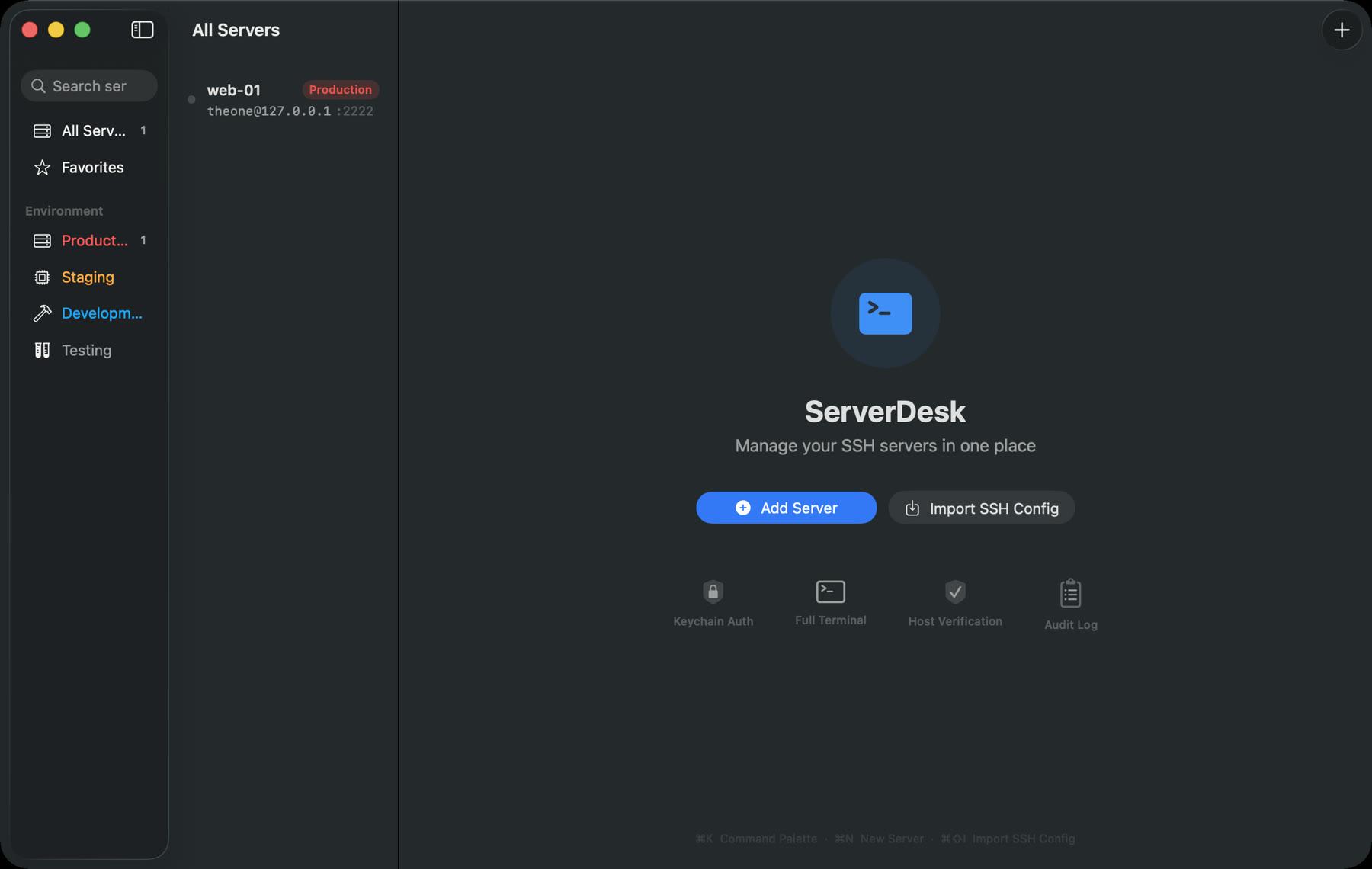
Saved profiles for every server, grouped and ready - no retyping host names.
A real terminal
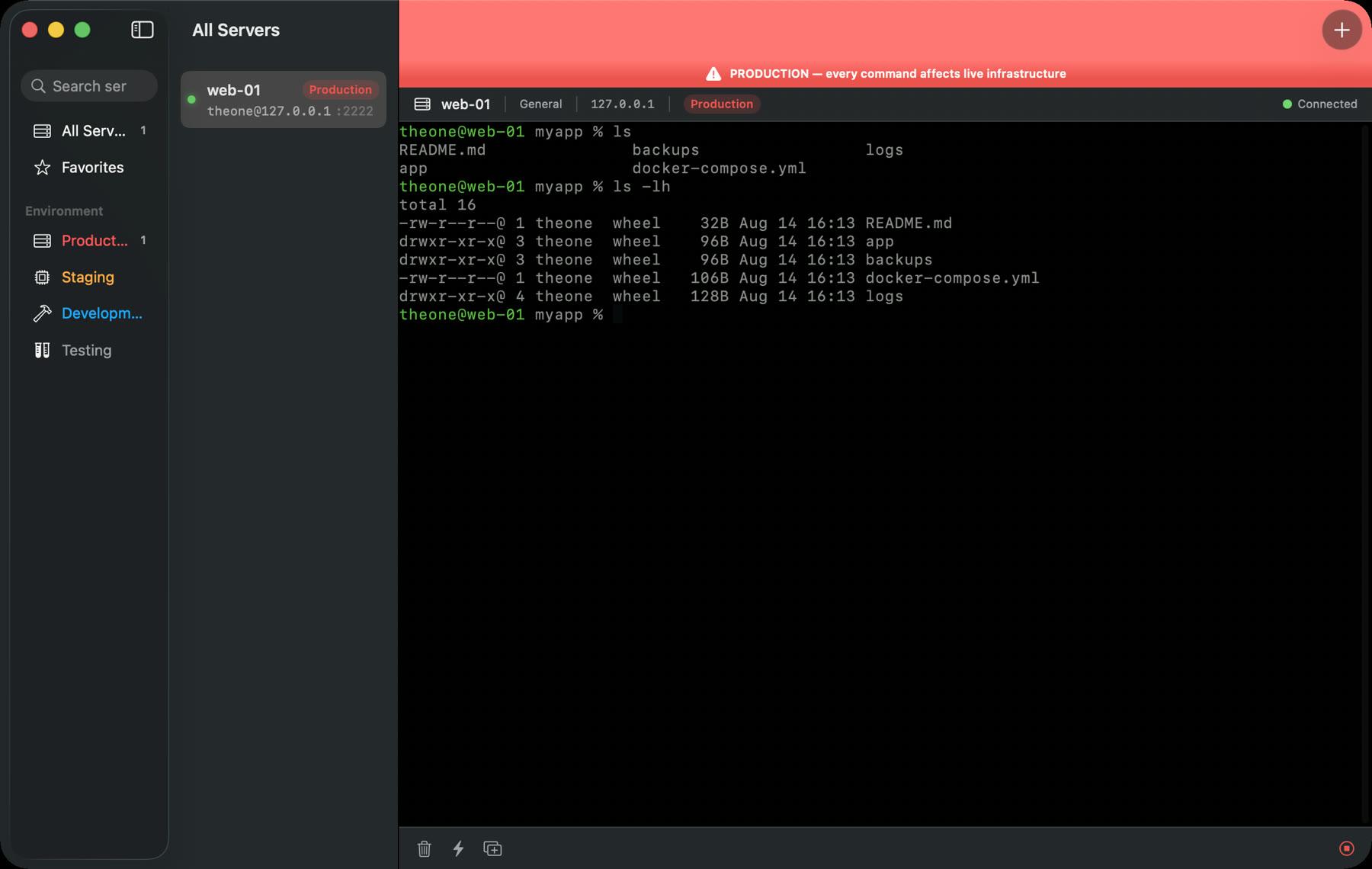
A genuine PTY-backed terminal, not a form pretending to be one.
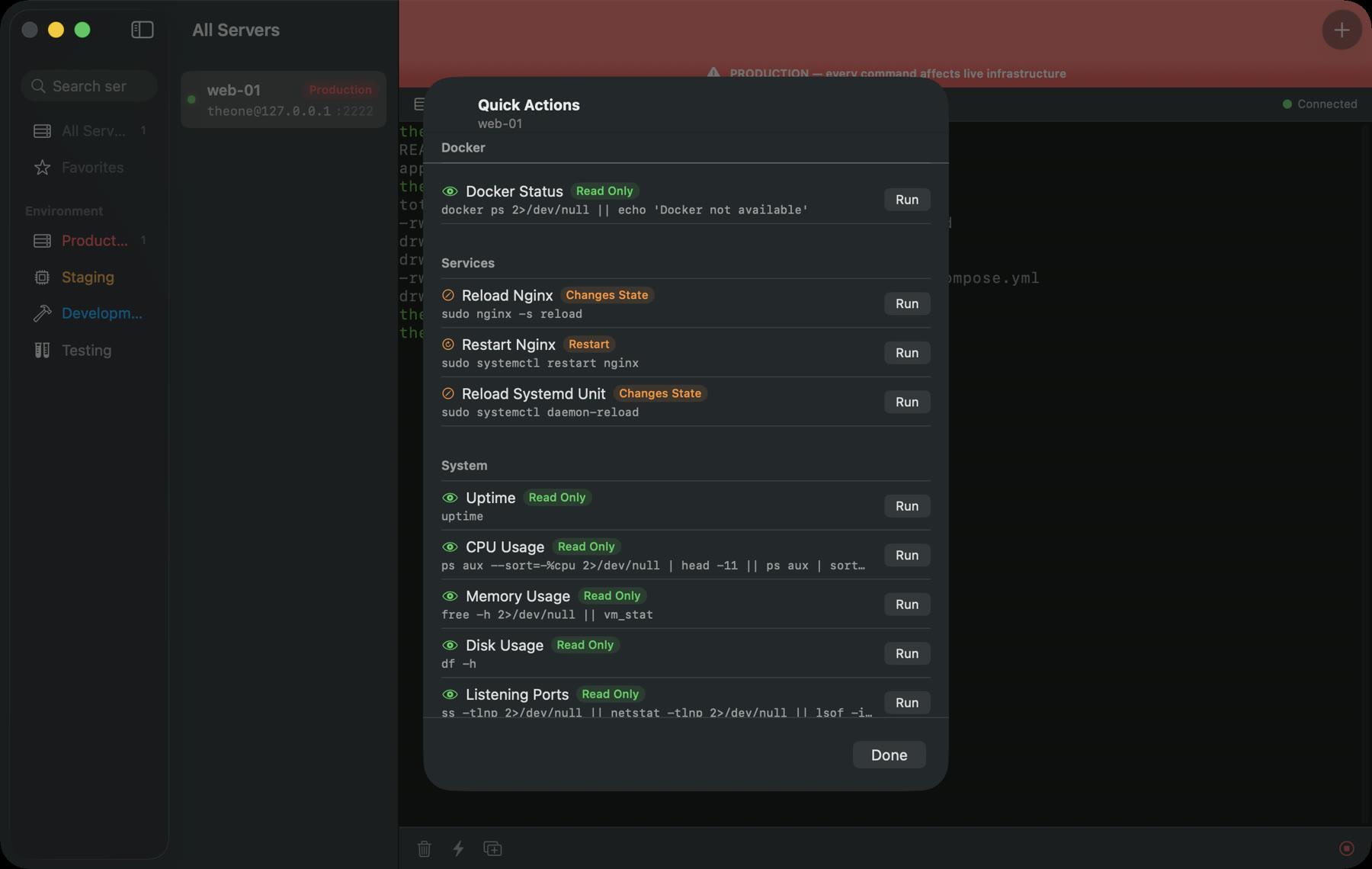
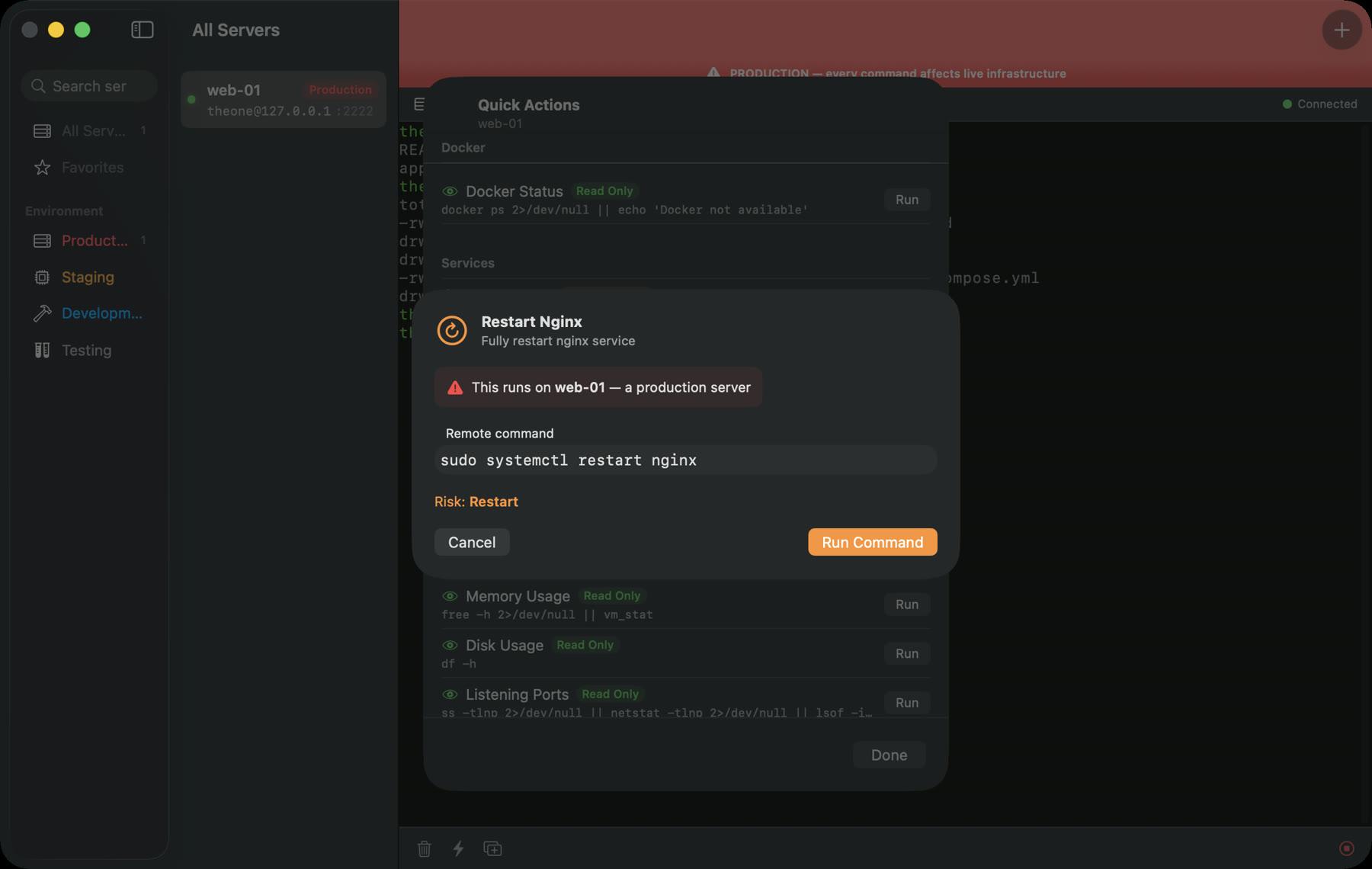
One-tap quick actions
The commands you run every day, a tap away.
Guardrails on danger
Risky commands are flagged and gated behind a confirmation step before they run.
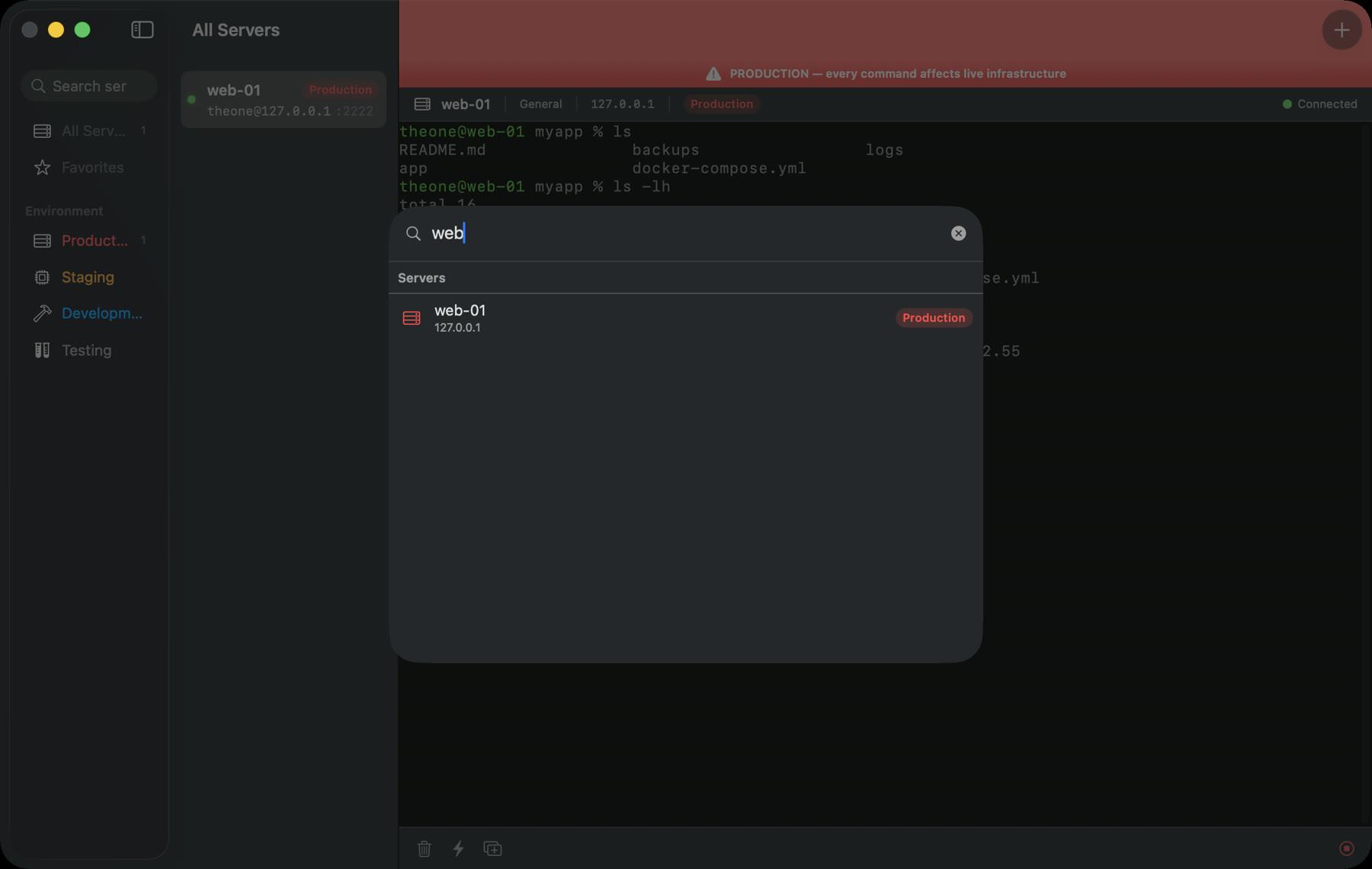
Command palette
Search your saved commands instead of digging through shell history.
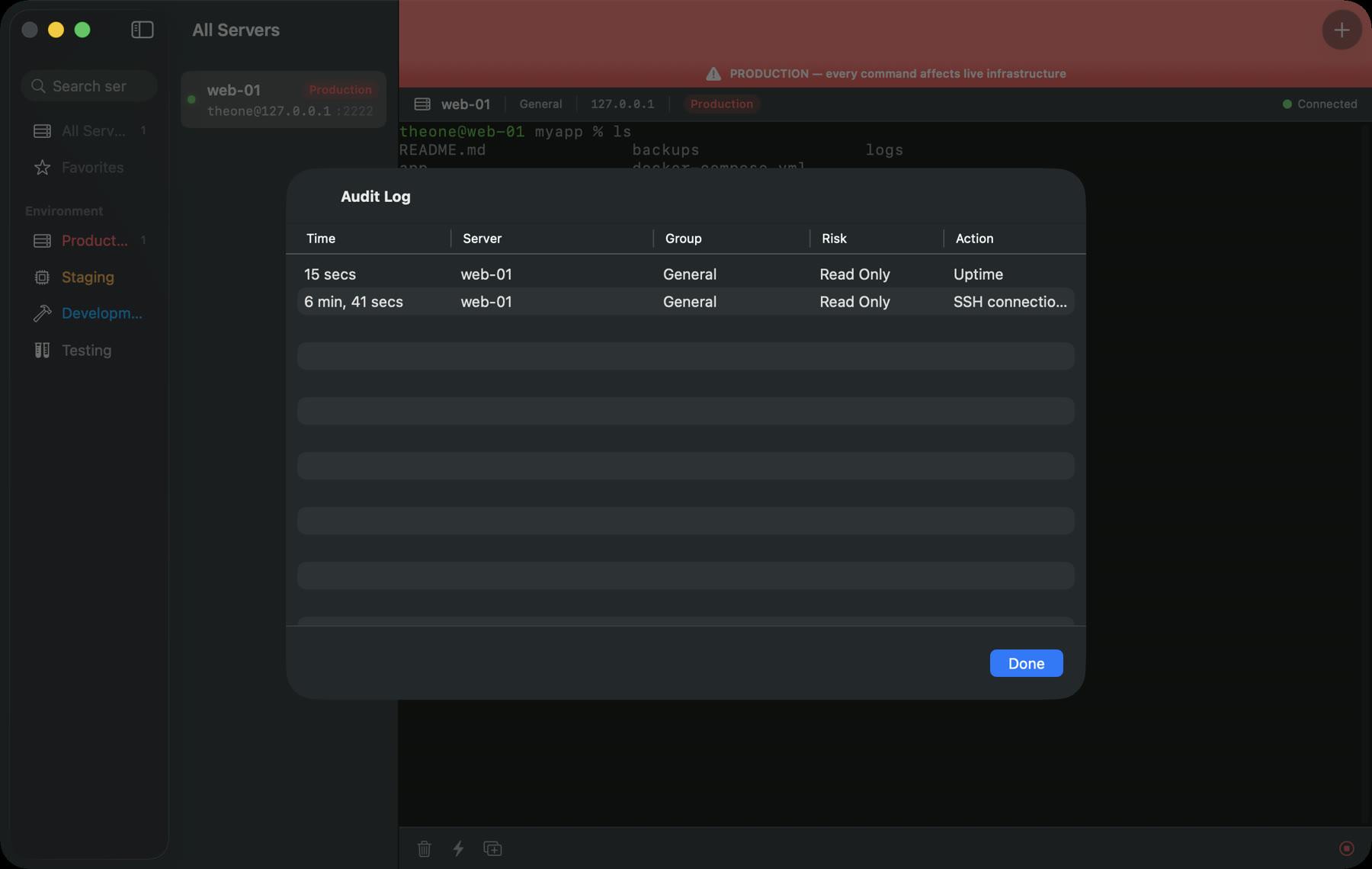
Audit trail
A record of what ran, where, and when.
See it in action.
Get ServerDesk on your iPhone.
Developer tool · macOS, Apple silicon and Intel · Free
Questions, answered.
Is ServerDesk free?+
Yes. Version 1.0 is a free download from this site.
Why is it not on the Mac App Store?+
ServerDesk drives the real system ssh, which App Store sandboxing does not allow. It ships as a signed, notarized DMG instead - macOS verifies it the same way.
What counts as a dangerous command?+
Things like rm -rf, reboot, or DROP TABLE. ServerDesk classifies command risk and asks for confirmation before running them.
What does it need?+
A Mac running macOS. Credentials are stored in the Keychain, and host keys are verified on connect.